
A next generation content management system changes how teams publish and run websites. It frees teams from slow workflows and rigid templates. It speeds delivery, improves personalization, and cuts maintenance time. This article lists practical features, architecture choices, migration tips, and evaluation steps for teams that want a modern platform.
Key Takeaways
- A next generation content management system boosts speed and flexibility by separating content from presentation and offering API-driven access.
- Modern CMS platforms include live preview editors, automated asset optimization, and AI-powered content assistance to enhance efficiency and scalability.
- AI integration and personalization engines enable tailored content delivery and automate workflows, reducing manual efforts while keeping editorial control.
- Choosing between headless, hybrid, and API-first architectures depends on team skills, desired front-end control, and integration needs for optimal CMS performance.
- Careful migration planning with phased content transfer, clear governance, and automated validation ensures a smooth transition to a next generation content management system.
What Defines A Next-Generation CMS Today
A next generation content management system emphasizes speed, flexibility, and automation. It separates content from presentation so teams can reuse content across channels. It provides APIs for content access and simple developer tooling for fast builds. It offers built-in optimization for performance and SEO so pages load faster and rank better. It supports content modeling that nontechnical editors can change without code. It includes role-based access and audit logs so governance stays clear. It integrates with AI services to speed writing and tagging. It supports personalization so sites can show relevant content to visitors.
Beyond these capabilities, a true next generation content management system prioritizes developer experience and operational reliability: clear SDKs and CLI tools, predictable versioning and migration paths, and immutable deployment artifacts where possible. It exposes observability hooks (logs, traces, metrics) so teams can track content delivery and diagnose issues. It also provides extensibility points—webhooks, custom functions, and plugin frameworks—that let organizations add business-specific logic without breaking core upgrade paths. For many teams, the combination of editorial ergonomics and engineering-grade controls is the defining difference from legacy CMS platforms.
Core Features That Separate Modern CMS Platforms
Modern platforms focus on modular features that reduce manual work. They provide an editor that shows live preview and content variants. They expose content via stable APIs so front ends can evolve independently. They include asset management with automatic image and video optimization. They track content versions and approvals so teams avoid errors. They offer connectors for commerce, analytics, and identity systems. They give localization tools for multilingual sites. They include analytics hooks so teams can measure content performance. They support AI features for draft generation and metadata. These features make a next generation content management system faster to operate and easier to scale.
Operationally, useful feature sets also include granular permissions and workflow templates, scheduled publishing, content lifecycles (draft, review, published, archived), and robust search across structured and unstructured fields. Built-in translation workflows or integrations with translation providers reduce time to market for international sites. On the asset side, look for automatic responsive image generation, CDN integration, and video transcoding pipelines. Finally, developer-facing features such as schema migrations, test fixtures for content, and local emulators reduce friction when building and maintaining complex sites.
AI, Personalization, And Automated Content Workflows
AI helps with summaries, headlines, and metadata. AI suggests tags and content blocks based on user behavior. Personalization engines match content to visitor segments in real time. Automated workflows move drafts from authoring to review to publishing. Rules trigger translations, approvals, and publishing times. Teams reduce manual steps and speed release cycles. Editors keep final control and can override AI suggestions. Integrations send events to analytics and commerce systems so actions remain measurable. These capabilities make a next generation content management system able to deliver tailored pages at scale.
Practical implementations combine AI assistance with clear guardrails: templates for generated content, confidence scores, and human-in-the-loop review before wide release. Personalization requires robust profiling and privacy-aware data handling—opt-in signals, consent management, and clear fallback content when segment data is unavailable. Automated workflows should be auditable with change history and rollback options; they should also support business rules that prevent critical content from being auto-published without manual sign-off. When these pieces are properly configured, teams can increase velocity while maintaining control and compliance.
Architecture Choices: Headless, Hybrid, And API-First Approaches
A headless architecture decouples content storage from presentation. Developers build front ends in any framework and call APIs for content. A hybrid model offers traditional editing plus APIs for modern front ends. An API-first approach treats every capability as a service and documents endpoints clearly. Teams choose headless when they need full front-end control and omnichannel delivery. Teams choose hybrid when editors need WYSIWYG tools and developers need APIs. API-first suits organizations that plan many internal integrations. Each approach affects hosting, caching, and deployment choices. The right model aligns with team skills and delivery timelines for the next generation content management system.
When evaluating architectures, consider operational implications: headless systems often require a separate CDN strategy, client-side rendering choices, and edge caching rules; hybrid systems can simplify preview and editorial workflows but may impose limits on front-end innovation; API-first systems demand strong API versioning and backward compatibility practices. Also weigh scalability and cost models—per-request vs. capacity pricing—and integration velocity with third-party services. Making an architecture decision should involve product, editorial, and engineering stakeholders to ensure the selected model supports both current requirements and a realistic roadmap for future channels.
Migration, Integration, And Governance Best Practices
Plan migrations in phases and move content by type. Map content models from the old system to the new system before any data transfer. Automate large imports and validate entries after import. Use connectors to link commerce, CRM, and analytics while avoiding custom, hard-to-maintain bridges. Keep governance simple with clear roles and publishing rules. Use feature flags and staging environments to test changes without affecting live pages. Archive legacy assets you no longer need to reduce storage costs. Monitor performance and errors after each migration step. These steps reduce risk and keep the new platform stable and auditable.
Execute migrations with repeatable scripts, a rollback plan, and a validation checklist that includes URL mapping, SEO metadata, image handling, and redirect rules. Include stakeholders from legal, privacy, and marketing early to confirm retention policies and compliance needs. For integrations, prefer maintained connectors and standard protocols (OAuth, webhooks, GraphQL/REST) and document any custom middleware. Establish governance that balances speed with control: define who can create content types, who can publish to production, and what automated tests must pass for releases. Regular audits and a small operations runbook will keep the platform resilient after cutover.
How To Evaluate And Choose The Right Next-Gen CMS For Your Site
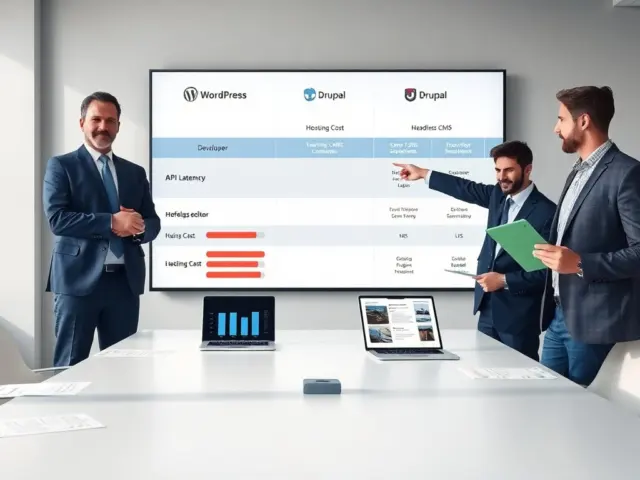
Choosing a next generation content management system requires a structured evaluation that goes beyond marketing claims. Start with clear business requirements: target channels, editorial workflows, localization needs, personalization goals, and integration points (commerce, CRM, analytics). Define nonfunctional requirements such as performance targets, SLAs, scalability expectations, and security/compliance constraints. Create a short list of candidates and score them against these criteria using hands-on tests rather than feature checklists alone.
Run pilot projects: import a representative subset of content, build a production-like front end, and validate editorial tasks like preview, scheduling, and versioning. Measure development velocity—how quickly a front-end team can consume APIs and deploy changes—and editorial velocity—how quickly business users can create, localize, and publish content. Assess total cost of ownership including licensing, infrastructure, migration effort, and ongoing integration work. Finally, check the vendor ecosystem: availability of SDKs, community, partner services, and the platform’s roadmap to ensure the chosen next generation content management system will evolve with your needs.